SLEEPING DOGS - TESTED WORK 100%

Welcome to Hong Kong, a vibrant neon city teaming with life, whose exotic locations and busy streets hide one of the most powerful and dangerous criminal organizations in the world...

DARKSIDERS II

Darksiders II's story will take place in the same time period as the first game, only this time players will take control of the Horseman Death, instead of his brother War...

PROTOTYPE 2 – UNLOCKED – MULTI5 – DLC TESTED WORK

Are you ready to murder your maker?

Tom Clancy's Ghost Recon: Future Soldier

”The face of war has changed. Enemy lines are blurred, and there is no longer a clear opponent. New enemies and new threats require a new type of warfare - a new breed of soldiers. Enter the Ghosts.”

MAX PAYNE 3

Developed by Rockstar Games for a seamless, highly detailed, cinematic experience Advanced Bullet Time® and Shootdodge™ and Final Kill-cam mechanics for stylish shooting action Cutting edge aiming, targeting and animation processes for precise, fluid gunplay A dark, twisted story chronicling the return of Max Payne, one of the most iconic characters in videogames. .

Tampilkan postingan dengan label desain grafis. Tampilkan semua postingan

Sabtu, 23 Juni 2012

Adobe Illustrator CS6 v16.0.0 (x86 & x64) + Content


What's new in Illustrator?
Adobe® Illustrator® CS6 software is powered by the new Adobe Mercury Performance System so you can work with speed and stability on large, complex files. A modern, updated interface streamlines daily tasks. Advanced creative tools enable you to capture your vision better than ever.


What new feature in Illustrator CS6?
-Adobe Mercury Performance System
Work with precision, speed, and rock-solid stability on large, complex files thanks to a new performance system that powers Illustrator CS6. With native 64-bit support on Mac OS and Windows® you can access all the RAM on your computer to easily open, save, and export large files and preview demanding designs. Just about everything feels faster and more responsive.

-Pattern creation
Easily create seamlessly tiled vector patterns. Experiment freely with different types of repeating patterns that can be edited at any time for maximum design flexibility.

-New Image Trace
Convert raster images to editable vectors with a completely new tracing engine. Get clean lines, accurate fitting, and reliable results without using complex controls.

-New efficient, flexible interface
Take fewer steps to accomplish daily tasks in a new, streamlined interface. Enjoy inline editing of layer names, precise color sampling, and UI brightness that's smoothly adjustable to match other Adobe tools.

-Gaussian Blur enhancement
See that Gaussian Blur and effects such as Drop Shadows and Glows are applied significantly faster than before. To improve accuracy, preview directly on the artboard rather than in a dialog box.

-Transform panel enhancements
Quickly access the popular Scale Strokes and Effects option, thanks to its new availability in the Transform panel.

-Control panel enhancements
Quickly find what you need in a more efficient Control panel, now with consistency across options, anchor point controls, clipping masks, envelope distortions, and more.

-Workspaces with rooms
Move fluidly from workspace to workspace with support for rooms. Achieve consistency across your work areas and maintain layout changes until you actively reset them.

- And many more..


CARA INSTAL :


PASTIKAN SEBELUM MELAKUKAN INSTALL KONEKSI INTERNET DIMATIKAN TERLEBIH DAHULU!!

1) Install aplikasi dalam mode trial (tidak butuh serial).

2) buka folder DLL copy file dll nya ( Win 32bit pake yang 32 dan Win 64bit bisa kopas keduanya / hanya 64 saja) dan paste ke direktori.

C:\Program Files (x86)\Adobe\Adobe Illustrator CS6\Support Files\Contents\Windows > (Win 32bit)

atau

C:\Program Files\Adobe\Adobe Illustrator CS6\Support Files\Contents\Windows > (Win 64bit)

atau

C:\Program Files\Adobe\Adobe Illustrator CS6 (64 Bit)\Support Files\Contents\Windows

Note:
Di folder DLL ada folder original 32/64bit itu buat backup jika gagal/ error


DOWNLOAD HERE 


PASS : disscrew
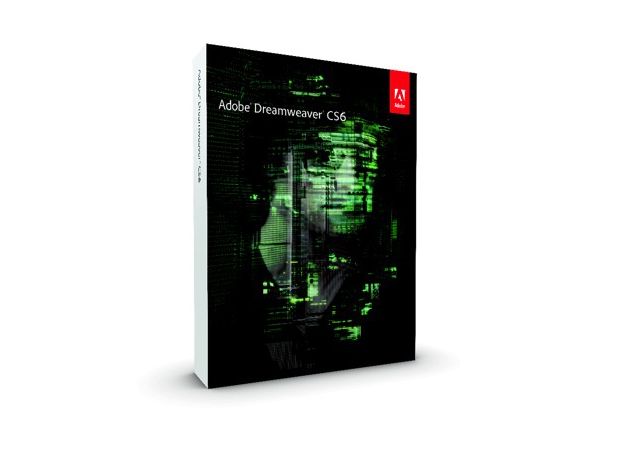

Adobe Dreamweaver CS6 v12.0-5808

What is Dreamweaver?
Adobe® Dreamweaver® CS6 web design software provides an intuitive visual interface for making and editing HTML websites and mobile apps. Use Fluid Grid Layout designed for cross-platform compatibility to create adaptive layouts. Review designs with Multiscreen Preview before publishing.

What new feature in Dreamweaver CS6?
-Fluid Grid Layout
Create cross-platform and cross-browser-compatible web designs using the CSS3-based Fluid Grid Layout system. Work faster and more efficiently as you develop projects using clean, industry-standard code for a wide range of devices and computers. Visually construct complex web designs and page layouts without getting buried in code.

-Improved FTP performance
Save time uploading larger files with the reengineered multithreaded FTP transfer tool. Upload site files faster and more efficiently to speed production time.

-Adobe Business Catalyst integration
Use the integrated Business Catalyst panel in Dreamweaver to connect and edit sites you build with Adobe Business Catalyst (available separately). Build e-commerce sites with the hosted solution.

-Enhanced jQuery Mobile support
Build native mobile apps for iOS and Android platforms using updated support for jQuery Mobile. Build apps to reach mobile audiences while streamlining your mobile development workflow.

-Updated PhoneGap support
Updated support for Adobe PhoneGap™ makes it easier to build and package native apps for Android and iOS. Create mobile apps by repurposing existing HTML code. Use PhoneGap emulators to check your designs.

-CSS3 transitions
Animate changes to CSS properties as transitions to bring web designs to life. Maintain greater control of web design as you finesse page elements and create captivating effects.

-Updated Live View
Test pages before publishing using updated Live View functionality. Live View now uses the latest version of the WebKit rendering engine to provide the ultimate in HTML5 support.

-Updated Multiscreen Preview panel
Check the display of projects built for smartphones, tablets, and desktops with the updated Multiscreen Preview panel. This enhanced panel now enables you to check rendering of HTML5 content.


CARA INSTAL :


1) Install aplikasi dalam mode trial (tidak butuh serial). jalankan aplikasi dan pilih mode trial lalu tutup aplikasi.

2) buka folder DLL copy file dll nya dan paste ke direktori.

C:\Program Files (x86)\Adobe\Adobe Dreamweaver CS6 > (Win 32bit)

atau

C:\Program Files\Adobe\Adobe Dreamweaver CS6 > (Win 64bit)

Note:
Di folder DLL ada folder original 32bit itu buat backup jika gagal/ error
PASTIKAN SEBELUM MELAKUKAN INSTALL KONEKSI INTERNET DIMATIKAN TERLEBIH DAHULU!!

DOWNLOAD HERE 

PASS : disscrew


Adobe Photoshop CS6 13.0 Extended Final


What's new in Photoshop Extended?

Adobe® Photoshop® CS6 Extended software delivers even more imaging magic, new creative options, and the Adobe Mercury Graphics Engine for blazingly fast performance. Retouch with greater precision, and intuitively create 3D graphics, 2D designs, and movies using new and reimagined tools and workflows.*


Photoshop CS6 Extended Features

Enhance your creativity and boost your productivity. Adobe® Photoshop® CS6 Extended software delivers blazingly fast performance with the new Adobe Mercury Graphics Engine, groundbreaking new Content-Aware tools, simplified 3D artwork creation, reengineered design tools, and more.*

Content-Aware Patch : Patch images with greater control using Content-Aware Patch, which allows you to choose the area that Content-Aware will use to create your patch.

Mercury Graphics Engine : See near-instant results when you're editing images with key tools such as Liquify and Puppet Warp, creating 3D artwork, and working with matte paintings and other large files.*

3D performance boost : Experience enhanced performance throughout your 3D workflows. View shadows and reflections in all editing modes, quickly render final work in Adobe RayTrace mode thanks to the Mercury Graphics Engine, and much more.*

3D controls at your fingertips : Use a vastly simplified user interface to intuitively create and animate 3D artwork. Use in-context and on-canvas controls to manipulate cages for 3D extrusions, change the orientation of scenes and objects, edit lights, and more.*

New and reengineered design tools : Create superior designs faster. Get consistent formatting with type styles, use vector layers to apply strokes and add gradients to vector objects, easily create custom strokes and dashed lines, quickly search layers, and more.

New Blur Gallery : Quickly create photographic blur effects using a simple new interface with on-image controls. Create tilt-shift effects, blur everything and then sharpen one focal point, or vary the blurriness between multiple focal points. The Mercury Graphics Engine delivers immediate results.*

All-new Crop tool : Crop images faster and with greater precision using the all-new, nondestructive Crop tool. Manipulate your images on canvas, and take advantage of the Mercury Graphics Engine to see your adjustments happen live.*

Modern user interface : Work with a fresh, elegant interface featuring dark background options that make your images pop, and benefit from hundreds of design touches that create a smoother, more consistent editing experience.

New reflections and draggable shadows : Quickly achieve 3D realism by adding and enhancing shadows and reflections on your ground plane. Drag a shadow to reposition the light source, and easily edit ground reflections, shadows, and other effects.*

Intuitive video creation : Bring Photoshop image editing power to your videos. Easily enhance any clip using the full range of familiar Photoshop editing tools, and combine clips and stills with transitions, audio, and effects such as pan and zoom.

Background Save : Keep on working even while saving the largest of Photoshop files in the background — a performance improvement that can help your productivity soar.

Auto-recovery : Let the auto-recovery option work behind the scenes to save your edits without interrupting your progress. A copy of your work is saved every 10 minutes and recovered in the event of an unexpected shutdown.

Easy alignment and distribution of 3D objects : Create rich 3D scenes in less time now that you can automatically align 3D objects to the vanishing point in your image and manipulate a group of 3D objects at one time using a new multiselect option.*

Dozens of user-inspired improvements : Save time with more than 65 new creativity and productivity enhancements that originated as suggestions from Photoshop users via Facebook, Twitter, and more.

Preset migration and sharing : Easily migrate your presets, workspaces, preferences, and settings so you can experience Photoshop in the same way on all your computers, share your setup, and bring your customizations from past versions into Photoshop CS6.

Content-Aware Move : Move or extend a selected object to another area of your image, and then watch as Content-Aware Move magically recomposes and blends the object for a stunning visual result.

Revolutionary erodible brushes : Draw more naturally and realistically using drawing tips that erode as you work. Endlessly wear down and sharpen a charcoal pencil or pastel to create different effects, and save favorite blunted tips as presets.

New painting presets : Simplify painting with new presets that offer a good starting point for creating realistic painting effects.

Scripted Patterns : Generate geometric pattern fills faster with Scripted Patterns.

Enhanced 3D animation : Animate all 3D properties — including cameras, lights, materials, and meshes — using the Animation timeline. Final rendering performance is now much improved during export of your 3D animation.*

Flexible render modes for shadows : Work more fluidly now that you can preview shadows in both GL and Adobe RayTrace render modes.*

Accurate 3D object merge : Accurately merge multiple 3D objects in a single scene so they can interact with the same lighting and cameras.*

Alternate views : Easily view your 3D artwork from multiple angles while editing.*

3D stereo viewing and printing : Easily import common stereo formats, such as JPS and MPO, into the 3D pipeline, and make simple adjustments to set depth and range. View a stereo image on stereo monitors or TVs, or print it as a lenticular 3D image.*

Adobe Flash 3D export : Easily export 3D artwork in Adobe Flash® 3D format for viewing in web browsers. Also export 3D artwork assets for use in Adobe Flash Builder® software (sold separately).*

3D sketch and cartoon presets : Click once to give your 3D objects the look of sketches or cartoons, and automatically create sketch presets by creating any brush stroke.*

Improved 3D extrusion engine : Create stunning 3D logos and artwork from any text layer, selection, path, or layer mask with the improved 3D extrusion engine, which offers faster editing, on-canvas controls, and better beveling options.*

Type styles : Save time and ensure a consistent look with type styles, which let you apply formatting to selected characters, lines, or paragraphs of text with a single click.

Vector layers : Use vector layers to apply strokes and even add gradients to vector objects.

Sharper vector rendering : Get sharper rendering by clicking once to snap the edges of vector objects to pixels.

Custom strokes and dashed lines : Easily create custom strokes and dashed lines.

Layer search : Use layer search capabilities to quickly zero in on the layer you need.

Lighting Effects Gallery : Get better performance and results with the new, 64-bit Lighting Effects Gallery. The plug-in is powered by the Mercury Graphics Engine and offers on-canvas controls and previews that make it easier to visualize your lighting enhancements.*

Oil Painting filter : Quickly give your work the look of a fine painting with the Oil Painting filter powered by the Mercury Graphics Engine. Control the style of your brush as well as the direction and shine of your lighting for a superior look.

Airbrush tips : Create realistic airbrush effects using fluid, lifelike controls and granular paint particles.

Brush enhancements : Paint more naturally by manually changing the rotation of your paint brush with your mouse. Dynamically resize your brushes with shortcuts, and take advantage of the Mercury Graphics Engine to fluidly adjust opacity or hardness.

10-bit deep color support : Get a more accurate representation of how your images will appear in film with 10-bit monitor support. See just the pixels you’ve captured, reduce or eliminate the need for dithering, and reduce contouring or banding.†

Support for 3D LUTs : Retouch images for film more easily with 3D lookup tables (LUTs) — including Adobe SpeedGrade™ .Look color LUTs — that you can turn on when you need to tweak raw color data.

OpenEXR transparency preferences : Choose whether you'd like to handle alpha channels in OpenEXR files as alpha channels or transparency.

Properties panel : Save time with a context-sensitive Properties panel that lets you make quick updates to the properties of your masks, adjustments, and 3D content.

Adobe Bridge CS6 : Manage your media faster — especially when working with large image files. Adobe Bridge CS6 offers cross-platform 64-bit support and a range of user interface and database enhancements.

Redesigned Adobe Mini Bridge : Access your images and documents more quickly and easily in Adobe Mini Bridge, redesigned as an elegant filmstrip.

New heads-up displays : Use heads-up displays to get greater precision when selecting and transforming objects and text.

Enhanced TIFF support : Work with a larger range of TIFF files. Enhanced TIFF support allows for greater bit depths and larger file sizes.

Automatic resampling : Get great results when resizing an image — the best resample method is automatically selected.

Filler text : Save time with the ability to insert "Lorem ipsum" filler text when working with type.

Increased maximum brush sizes : Edit and paint with brush sizes all the way up to 5000px.


System requirements Windows

 Intel® Pentium® 4 or AMD Athlon® 64 processor
 Microsoft® Windows® XP* with Service Pack 3 or Windows 7 with Service Pack 1
 1GB of RAM
 1GB of available hard-disk space for installation; additional free space required during installation (cannot install on removable flash storage devices)
 1024x768 display (1280x800 recommended) with 16-bit color and 512MB of VRAM
 OpenGL 2.0–capable system
 DVD-ROM drive
 This software will not operate without activation. Broadband Internet connection and registration are required for software activation, validation of subscriptions, and access to online services.† Phone activation is not available.

* 3D features and some GPU-enabled features are not supported on Windows XP.

Languages : Dansk, Deutsch, English, Español, Français, Français*, Hebrew*, Hungarian, Italiano, Nederlands, Norwegian, Polish, Português (Brasil), Suomi, Svenska, Turkish, Ukrainian, ceÅ¡tina, chinese, japanede, arabic, hebrew

* Arabic and Hebrew supported in a Middle Eastern version with full right-to-left language support, Arab/Hebrew features, and an English interface; also in a North African French (Francais*) version with full right-to-left language support, Arab/Hebrew features, and a French interface.

Homepage : Here

DOWNLOAD HERE


CorelDRAW Graphics Suite X6


Overview

Versatile and powerful graphic design software

Whether you’re an aspiring artist or an experienced designer, CorelDRAW® Graphics Suite X6 is your trusted graphic design software solution. With its content-rich environment and professional graphic design, photo-editing and website design software, you have everything you need to express your style and creativity with endless possibilities.

Quickly feel at home with built-in help, training videos and professionally designed templates. Then, create with confidence—everything from distinctive logos and signs to custom websites, web graphics, billboards, car wraps, flyers and more! Show your true design style!


Whats New :

  • Professional Graphic Design Software
  • Expanded document styles
  • New custom-built color harmonies
  • Powerful page layout tools
  • New website design software
  • New 64-bit support


Features:

  • CorelDRAW Graphics Suite X6 offers everything you need for professional graphics illustration, layout, tracing, photo editing, Web graphics and animation in one complete suite of integrated applications that is easy to learn and use.
  • Start smoothly and learn quickly with built-in learning tools, valuable video tutorials, design insights from experts and a visually rich guidebook–be inspired to do more than you thought possible.
  • Enrich your designs with over 1,000 professional fonts and take advantage of high-value digital content, such as premium clipart, royalty-free photos and vehicle templates.
  • Output to a broad variety of media, from distinctive logos and signs, to striking marketing materials, Web graphics, billboards and car wraps; optimize your settings to achieve the highest file quality.
  • Dozens of supported file formats, including PDF, JPG, PNG, EPS, AI, TIFF, PSD, DOCX and many more, let you import and export files quickly and easily.
  • And more…


The suite includes:

• CorelDRAW X6. Intuitive vector illustration and page-layout application
• Corel PHOTO-PAINT X6. Professional image-editing application
• Corel CAPTURE X6. Simple one-click screen capture utility
• Corel CONNECT X6. Instant content finder
• PhotoZoom Pro 2. Convenient PHOTO-PAINT plug-in to enlarge digital images
• ConceptShare. Interactive online collaboration tool


System Requirements
  • Microsoft® Windows® 7 (32-bit or 64-bit Editions) , Windows Vista® (32-bit or 64-bit Editions), or Windows® XP (32-bit), all with latest service packs installed
  • Intel® Pentium® 4, AMD Athlon™ 64 or AMD Opteron™
  • 1GB RAM
  • 1.5GB hard disk space (for typical installation without content - additional disk space is required during installation)
  • Mouse or tablet
  • 1024 x 768 screen resolution
  • DVD drive
  • Microsoft® Internet Explorer® 7 or higher

Download Here


Pass : disscrew